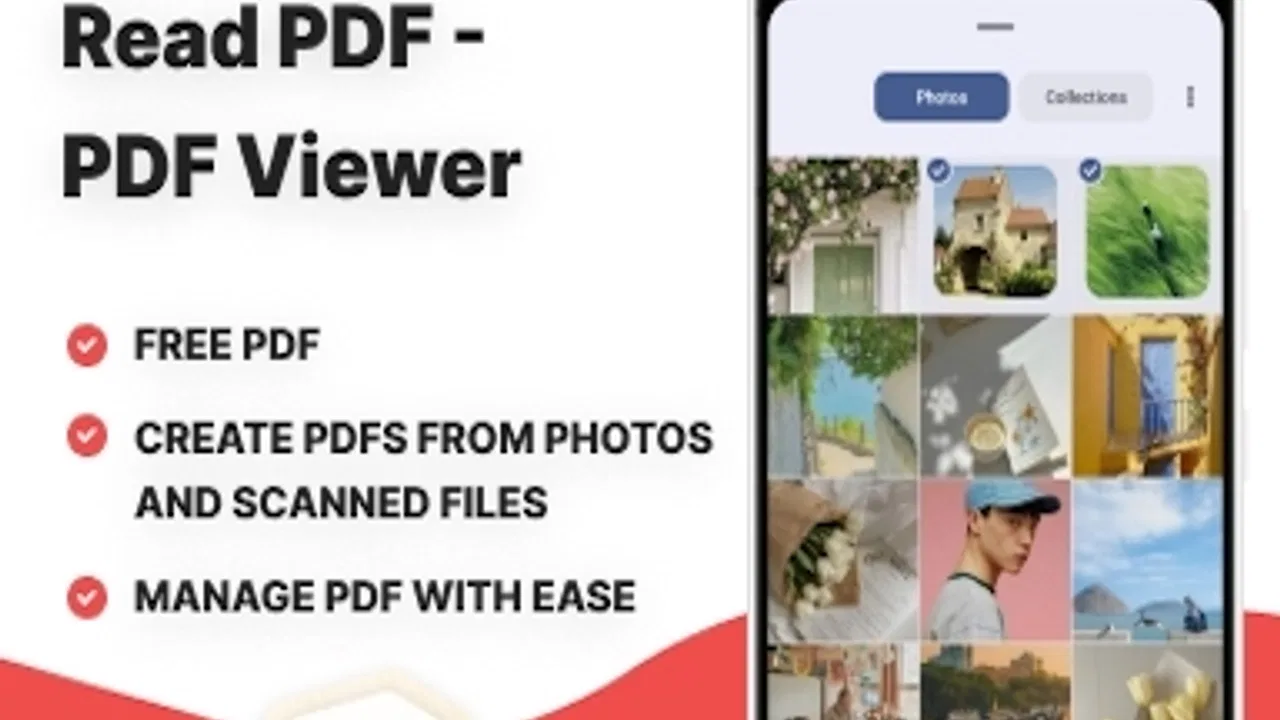
Read PDF - PDF Viewer
- 4.8
- Rating
- 100.00K
- Installs
- Free
- Price

 Analysis by App-foxy
I approached Read PDF - PDF Viewer as the kind of utility I would keep ready for everyday documents rather than as a full office suite. It is a free Android tool from Rezpay, built around opening and managing PDF files without turning the experience into a complicated project. That narrow purpose is its main appeal: when I only need to read a manual, receipt, form, timetable, or saved document, a focused viewer usually feels more comfortable than a large productivity package.
The app currently carries a 4.8 average from around 2.3 thousand ratings and has passed 100 thousand installs. Those figures suggest that it has already found an audience, but I would not treat popularity as a substitute for checking whether its style matches your routine. My overall impression is positive for people who want a straightforward PDF reader on an Android device, while users who need serious editing, collaboration, or document signing should approach it with more specific expectations.
How Read PDF - PDF Viewer fits into daily use
The first thing I value in a PDF app is not a long feature list. I want to open a file quickly, read it without visual clutter, and return to it later without having to remember where it came from. Read PDF - PDF Viewer is positioned around that simple workflow. Its store summary describes reading and managing PDF documents, and the short description keeps the promise even narrower: read PDF. That focus makes sense for a tools app.
You May Also Like

 Blood Strike: 2.5 Anniversary
Blood Strike’s Loadouts Turn Every Drop Into a Tactical Gamble
A close look at Blood Strike’s custom loadouts: how fast access to signature weapons reshapes its battle royale rhythm, rewards preparation, and narrows the gap between fights.

 Pandora - Music & Podcasts
Pandora’s Music Is Easy to Start, but Harder to Recover
Pandora’s strength is its low-effort path from a seed to a station. Its weak spot is how much confidence it asks you to place in connection, setup, and quiet recovery.

 8 Ball Pool
 Is Built on Rivalries, Rematches, and Routine
A close look at the rivalries, rematches, shared routines, and unanswered safety questions that turn a quick pool match into a persistent mobile community.

 Samsung Music
’s Quiet Strength Is Playing What You Already Own
Its reach comes less from spectacle than from dependable access to a personal library. That simplicity is both the app’s strongest retention engine and its ceiling.

 AccuWeather: Weather Radar
AccuWeather Review: A Quick, Clear Forecast for Everyday Decisions
For everyday plans, the best forecast is the one you can understand quickly. AccuWeather makes rain timing, radar, and local conditions easy to act on, with a few trade-offs.

 Hill Climb Racing
Why Hill Climb Racing Still Turns Crashes Into One More Run
A tiny car, a bumpy hill and one more upgrade: Hill Climb Racing keeps resurfacing because its simple chaos makes every near-miss feel personal.
More From Our News Desk



A realistic example is downloading a product guide from an email, checking a travel document from a browser, or opening a work form received through a messaging app. In each case, the useful path is usually the same: select the file, inspect the pages, zoom when necessary, and close it when finished. A dedicated viewer is often less distracting than opening the same file inside a broad document editor that presents controls you will never use.
I also see value in having a separate place for PDFs when the phone’s default file handler is inconsistent. Android devices differ in the apps they ship with, and a lightweight reader can make the choice less confusing. If you regularly save documents from several sources, the management side matters just as much as page rendering. A reader becomes more practical when it helps you recognize what is already on the device instead of forcing you to hunt through individual download folders.
That said, I would not confuse “manage” with a complete document-management system. For a small personal collection, a dedicated viewer can be enough. For a large archive with strict naming rules, shared folders, annotations, and approval stages, I would still look toward a broader file-management or office solution. The app’s strongest role is the everyday reading layer, not replacing a workplace document platform.
A good fit for quick reading and repeated reference
Students, renters, travelers, and anyone who receives documents on a phone are the most obvious audience. A course handout can be checked between classes, an instruction sheet can stay available while assembling furniture, and a downloaded form can be reviewed before filling it out elsewhere. These are modest tasks, but they are exactly where an uncomplicated viewer earns its place.
I find the app especially suitable for people who do not want to install a large office application just to read a PDF. A free tool also lowers the barrier for occasional users. If you open only a few documents each week, paying for a full productivity subscription may feel excessive, and a focused reader is a more sensible starting point.
The age rating of Everyone also makes it broadly approachable for general household use. I would still remind younger users not to open unknown attachments simply because the viewer can display them. The rating describes the app’s intended content level, not the safety of every document someone sends to the device.
Where it sits beside familiar alternatives
The usual alternatives fall into three groups: the phone’s built-in file viewer, a major office or cloud-storage app, and a dedicated PDF editor. Read PDF - PDF Viewer occupies the middle ground between them. It should appeal when the built-in option is awkward but a full office suite feels unnecessarily heavy.
A built-in viewer may be perfectly adequate if you open PDFs only through one trusted file app. Its advantage is convenience because nothing extra is needed. The trade-off is that its browsing and organization experience can vary from one Android device to another. A dedicated reader is more attractive when you want a consistent PDF-focused destination.
Cloud and office apps are better when your documents already live inside shared storage or when you need to move between phone, tablet, and computer. They usually make more sense for collaborative work, version control, or editing. Read PDF - PDF Viewer is the cleaner choice when the immediate job is simply reading a local document without bringing an entire work ecosystem into the process.
Dedicated PDF editors remain the better option for adding signatures, changing text, completing advanced forms, or marking up pages as part of a formal workflow. I would not choose this app as my only document tool if those tasks were central to my day. Its appeal comes from restraint, and restraint naturally means fewer reasons to use it for complex document production.
What the current release tells me about its direction
The current version is 1.2.6, and the app was released on August 26, 2025. Those details place it in a relatively early stage of its product life rather than presenting it as a decades-old document platform. I see that as both encouraging and worth watching. A focused reader can become polished quickly, but newer products also need time to prove how consistently they handle different file types, device layouts, and long-term document libraries.
I would describe the present state as practical rather than ambitious. The experience is centered on the core reading job, which is a sensible foundation. The important question for future releases is whether Rezpay continues improving that foundation without burying it under features that make a simple document harder to open.
Because the version number is still relatively early, existing users should pay attention to how updates affect everyday habits. A useful update is not only one that adds a visible button. Better file discovery, more dependable reopening, smoother movement through long documents, and clearer handling of files shared from other apps can matter more than flashy additions. Those are the areas where a viewer either becomes a dependable utility or remains something people keep installed but rarely trust.
How the release stage affects current users
If you already use the app, I would keep your expectations grounded in its central purpose. It is reasonable to rely on it for ordinary reading and basic organization, but I would avoid making it the sole home for irreplaceable records until you are comfortable with your own backup routine. That is not a criticism unique to this app; it is sensible practice for any mobile document tool.
A simple habit helps: keep important originals in a separate, backed-up location and use the viewer as the convenient access point. This protects you from accidental deletion, device changes, or a file being moved into an unfamiliar folder. It also lets you test the app freely without treating its local library as your only copy.
Another useful habit is to give documents meaningful filenames before building a large collection. “Invoice electricity March” is easier to recognize than a string of downloaded characters, especially when several files look alike. A PDF viewer can help you access documents, but good naming still does much of the work when you need to find one quickly.
For people switching from a heavier app, the main adjustment is psychological. You may expect every PDF tool to include editing, conversion, cloud synchronization, and signing. Here, I would begin with the reading workflow and judge whether it is comfortable before expecting it to cover those separate jobs. That keeps the app on its strongest ground and prevents disappointment caused by comparing unlike products.
Small workflow choices that make a difference
One of my favorite practical tests for any PDF reader is to use it with three different documents: a short text file, a long document with many pages, and a form with small fields. This reveals more than opening a single brochure. The short file shows whether opening feels direct, the long one tests navigation habits, and the form reveals whether you need an editor rather than a viewer.
I would also test documents received through different routes instead of only files already sitting in a download folder. Open one from a browser, one from an email or messaging app, and one from local storage. This helps you understand whether the app fits your real routine. A reader that feels excellent with local files but awkward when another app shares a document may not be the best match for your habits.
For long reading sessions, I recommend checking the page at a comfortable zoom before settling in. On a phone, a PDF designed for paper can become tiring if the text is too small. A focused viewer is useful here because its main job is presenting the page, but your comfort still depends on the original document layout and the screen you are using.
When reviewing sensitive paperwork, I would avoid leaving the document open in a public place and would clear temporary sharing destinations afterward. The app’s Everyone rating and free availability make it easy to recommend broadly, but neither removes the need for ordinary privacy awareness around tax forms, identity documents, medical records, or contracts.
The gaps I would keep in mind
The first limitation is scope. A reader is not automatically an editor. If you need to change wording, insert a signature, complete a complex interactive form, or add detailed annotations, you may quickly reach the point where another application is necessary. That does not make Read PDF - PDF Viewer poor at its intended job; it simply defines the boundary of that job.
The second limitation is that document management can mean different things to different people. For one person, it means finding recent files and opening them again. For another, it means tags, folders, synchronized libraries, duplicate detection, and team permissions. I would recommend this app more confidently to the first group than the second.
The third is the challenge of judging a newer tool against mature alternatives. Established PDF products have had more time to refine unusual files, accessibility behavior, and advanced workflows. If your work depends on specialized forms or strict professional document handling, test your actual files before moving away from a tool that already meets those needs.
I would also skip it if your main reason for installing a PDF app is cross-platform collaboration. In that situation, a service built around shared storage and synchronized editing is usually more appropriate. Read PDF - PDF Viewer makes more sense as a personal Android reading utility than as the center of a multi-person document process.
What I would watch in future updates
For future releases, I would watch how Rezpay balances simplicity with reliability. Improvements to finding files, returning to recently read documents, and handling documents shared from other apps would strengthen the product without changing its identity. Clear navigation through lengthy PDFs would also be more valuable to me than a crowded collection of secondary tools.
I would separately watch whether the app grows into editing and annotation. Those additions could make it more useful, but they could also make the interface slower for someone who only wants to read. The best direction would be optional complexity: keep the basic reading path obvious while placing advanced actions where they do not interrupt casual use.
Existing users should also notice whether updates preserve familiar behavior. A viewer becomes part of a routine when opening a file feels predictable. Sudden changes to how documents are listed, shared, or reopened can create more friction than users expect from a small utility. Product evolution is worthwhile, but it should respect the simple reason people installed the app in the first place.
At the moment, I see Read PDF - PDF Viewer as a sensible free choice for Android users who want a dedicated place to read and handle ordinary PDF documents. Its 1.2.6 release shows a product still establishing its identity, while the strong average rating and more than 100 thousand installs indicate that many people already find the basic idea useful.
My recommendation is straightforward: try it if your PDF needs are mostly viewing, locating, and revisiting files on your phone. Keep a separate backup for important documents, test the kinds of files you actually receive, and do not expect a reader to replace a full editor or collaborative office suite. If Rezpay continues refining the core experience while keeping it uncluttered, this could become a dependable everyday tool rather than merely another app in the drawer.
FAQs for Read PDF - PDF Viewer
01What features does Read PDF - PDF Viewer offer?
Read PDF - PDF Viewer offers a range of features designed to enhance your reading experience. Users can easily open and view PDF documents, search for specific text within a PDF, and bookmark important pages for quick reference. The app also supports text highlighting and allows users to annotate documents with notes or drawings, making it a versatile tool for both casual readers and professionals.
02Is Read PDF - PDF Viewer compatible with all PDF files?
Yes, Read PDF - PDF Viewer is designed to be compatible with a wide array of PDF files. Whether you have documents that include rich text, images, or complex layouts, the app ensures smooth and accurate rendering of the content. However, very large or heavily encrypted PDFs may sometimes require more processing time.
03Does Read PDF - PDF Viewer work offline?
Absolutely, Read PDF - PDF Viewer works offline, allowing users to access and read their PDFs without an internet connection. This feature is particularly useful for individuals who need to read documents on the go, such as during travel or in areas with limited connectivity. Users can download and store their PDFs locally for easy access anytime.
04Are there any in-app purchases or ads in Read PDF - PDF Viewer?
Read PDF - PDF Viewer offers a free version that includes basic features and is supported by ads. To enhance your experience, you can opt for the premium version, which removes ads and unlocks additional features such as advanced annotation tools and cloud storage options. Pricing for the premium version is competitive and offers good value for frequent users.
05How secure is my data when using Read PDF - PDF Viewer?
Security is a key priority for Read PDF - PDF Viewer. The app ensures that all documents are stored securely on your device and does not share your data with third parties without consent. For added protection, users can enable password protection for sensitive documents within the app, keeping their information safe and private.
Pros
- User-friendly interface for easy navigation.
- Fast loading times for large PDF files.
- Supports annotation and highlighting.
- Offline access to saved PDFs.
- Night mode for comfortable reading.
Cons
- Limited advanced editing features.
- Ads in the free version can be intrusive.
- Some features require in-app purchases.
- Occasional crashes on older devices.
- No integration with cloud storage services.

Read PDF - PDF Viewer
Gallery